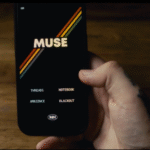

Oh boy, I wasn’t expecting this one…
Today I would like to post a review about Pathfinder by AM and The Daily Magician.
The link to purchase is here:
https://thedailymagician.com/pathfinder
The price is £59, for iPhone only.
Discount code by Madison is “MAGICREVIEW” for 10% OFF and his great review if you want to check it out is there (shout out to Madison for his great work on this one too) https://www.magicreview.org/pathfinder
Introduction – What is it ?
Pathfinder is a tool that allow you to divine any free word that your spectator is thinking of from a webpage/app/PDF that he saw previously on your phone. There’s no limitations, can be any free word, and you are able to divine their thought of word. Direct, easy to do, and SO PRACTICAL.
⭐️ Also, what’s possible but not much talked about is the ability to have a peek at the exact screen they were looking at!
So they can search any image, a celebrity picture, an instagram profile, or a list of countries and select the one they want, and later on you can have an exact peek at what they saw!
I have to admit that The Daily Magician cannot be more transparent.
They even show you a demo of how it works on their website. If you’re interested in seeing it action, check out the product page and scroll down and you’ll see a demo in action of Pathfinder using a Wikipedia article like this one:

The effect is presented as the following:
I will mainly talk about the acrostic reveal in this review, but on the video instruction (1hour12min) they cover everything you need to know.
1) You give your phone to the spectator and they can go to ANY website, ANY PDF, or ANY app with words if you use any type of news app.
2) They search for any article and remember a single word. The longer the word the more interesting (and easier for you) to do the experience.
3) You inform the spectator to place the phone down for a minute and really focus on the word, the amount of letters, the pronunciation and even see it in their mind.
4) The participant delete any trace of the word, close the webpage/PDF/app or whatever and hand you the phone so you can type some words that come to your mind in the Notes app (native)
5) You start “typing” some words that you’re “receiving” and telling the letters that you’re feeling.. Which they agree or not.
6) At the end, you show the words that you wrote.. Nothing matches with their word… Expect, the X letter position in each word SPELL THE WORD THEY WERE THINKING THE WHOLE TIME 🤯
PIONEERING in this example, see first letter of each word (customizable, you can change the position of the reveal letter)

Performance tip (this changes everything):
First, I wasn’t really excited that much, until I tried it on real people. It even passed the wife test! 👏🏻
My concerns were, and could be like the one you’re having now, that everything happened on my phone.
It turned out it simply didn’t matter 👌🏻
Here’s the secret to perform this effect the best way possible, in my opinion:
Take. Your. Time.
Talk about the impossibility of what you’ll try.
When they’re thinking of the word and the phone is faced place down, this is a crucial moment to empathize the fact that you’re using letters in an article as you would do in a random book: That they are literally millions of possibilities and words but somehow, focusing on the amount of letters, shapes and imagination you will try, and NOTE, each word that comes to your mind.
I found that this part of the performance is very important, at the end of the effect you’ll literally show each word on a list and the process is covered hidden and justified by saying this important part of the script.
Conclusion
The shortcut (yes, only works on iPhone then) does almost all the work for you by showing you all the options possibles while you just discuss with your participant.
If you’ve ever done a PA before, you know that you need to maintain conversation and act as if everything, even the “NO”, kinda make sense for what you’re doing. I recommend Peter Turner Astronomical for presentation and demo for a Star Sign for example.
I absolutely recommend this release. XENO by Marc Kerstein (upcoming review) also allow you, using your phone, to do a similar effect using a PA at the end but I found out Pathfinder to be more accurate and was VERY VERY surprised by how easy it is to perform and the impact of the acrostic reveal at the end.
PROS AND CONS (5☕️ Score from me)
✅ Nothing to setup. Shortcut installed and boom you’re ready.
✅ Works with any words that spectator is looking at.
✅ Pathfinder shows you all the option and you just need to follow and everything happens magically.
✅ The method itself is justified by the reveal in acrostic. You’re literally proving why you were doing was real at the end and the impact is SO SURPRISING.
❌ iOS only (but I mean…. it’s a shortcut right? So you know that)
❌ The acrostic reveal currently only works in English, however, it works in French, German, Spanish, Danish and Italian for the direct reveal at the moment.
❌ Not on their phone. But not an issue for me since I don’t really want them to think I had access to their private data somehow and their browser…
That’s it from me!
I also had a call with Aazan and he showed me some REALLY exciting projects he is working on and also an update is coming to Pathfinder that allows you to be even faster with the P.A
Have a great day and if you enjoyed this review, consider subscribing! It’s free!
O. ☕️